
Arq Backup
Arq automatically backs up all your Macs and PCs to your own cloud account.
Simple. Awesome.
30-day free trial
$59.99 license per computer
App only (no storage included)
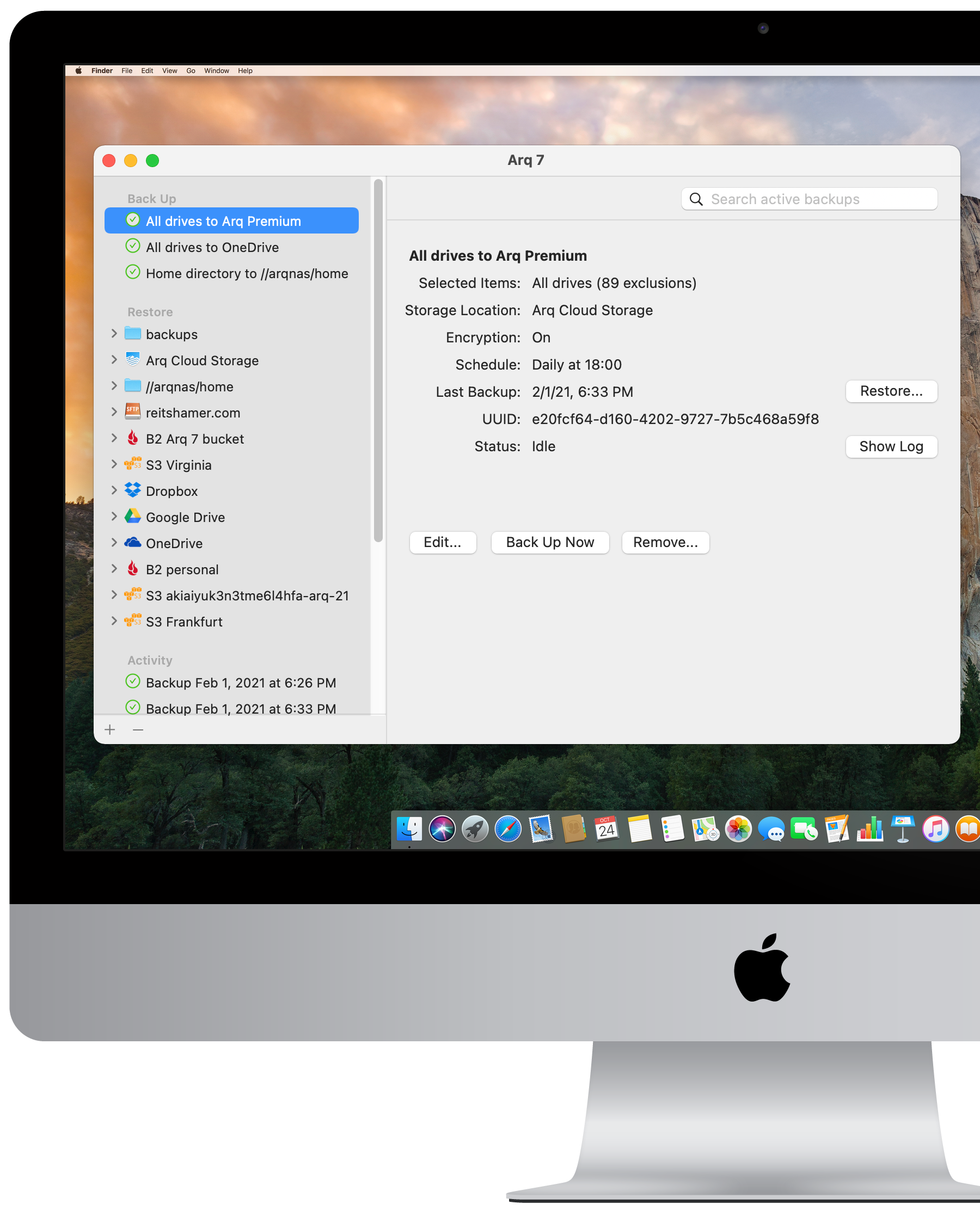
Simple.
Safe.
Secure.
Arq Backup protects whichever files you tell it to back up, automatically, every hour.
Backups are stored in your cloud account or NAS or SFTP server to protect against theft, ransomware, disaster.
No one else can read your backups because everything is encrypted before it leaves your computer with a password only you know.
Back up to
your own
cloud account.
Arq Backup integrates with many different cloud providers. So if you have a cloud account with some extra space available, use it for encrypted, versioned backups of your important files.
You can also back up to an SFTP server or an external drive or a NAS.
Or back up to all of the above! Arq can back up to multiple destinations.
| Cloud | Free Storage | Paid Storage | Upload Speed |
Data-Transfer-Out Fee |
Additional Transaction Fees |
|---|---|---|---|---|---|
| Amazon S3 | 5 GB for 1 year | $.023/GB per month | Best | $0.09/GB | Yes |
| Wasabi | 1 TB for 30 days | $.0049/GB per month (1 TB minimum) |
Best | $0 | No |
| Backblaze B2 | 10 GB | $.005/GB per month | Better | $.01/GB | Yes |
| Google Drive | 15 GB | $9.99/month for 2 TB | Better | $0 | No |
| Google Cloud Coldline | None | $.007/GB per month | Best | $.05/GB | Yes |
| Dropbox | 2 GB | $8.25/month for 1 TB | Better | $0 | No |
Fast.
Unlimited.
Awesome.
Efficient — compression, de-duplication, block-level incremental backup
Unlimited backup — backs up any file size, file type, external drive, network share
Versioned file backup — keeps multiple versions of your files; if you discover a file is corrupted, go back in time to get an earlier version
Unlimited retention — keeps backups of your USB drives even if you never reconnect them
Ransomware protection — point-in-time recovery of files
Restore right from the app — no downloading of zip files
Configurable to your needs:
- back up hourly or daily
- prevent backup on specific Wi-Fi networks and/or network interfaces
- prevent backup while on battery power
- limit bandwidth usage
- limit retention to reduce storage usage
- custom file/folder exclusion rules
- include network shares
Awesome customer service
Stable, self-funded, owner-operated, profitable company since 2009
Open and
transparent.
Arq stores your encrypted backups in a format that's open and documented.
There's even an open-source restore tool called arq_restore so advanced users can access the data directly.
Knowing where your backups are and being able to see the data directly brings peace of mind.
Happy customers!

Successfully used @arqbackup to restore over 1TB of data from @backblaze B2 storage. I’ve used Arq to restore a file or two here and there, but this is the first time restoring from a complete disk failure. Great to see it worked so well!
@johnspurlock
16 Oct 2018
If you are looking for an affordable cloud backup system that supports strong crypto and differential backups, make sure you check out @arqbackup…
A big THANK YOU to ARQ for consistently quick responses to email support Q’s and staff that know EXACTLY how to fix the problem…
@snrkl
2 Aug 2018
Using @arqbackup to retrieve 200 GBs of photos after a destroyed laptop incident is seriously amazing.
@Brodowski
20 June 2018
Thanks to @arqbackup for their help getting my backups working again after a Windows update messed up multiple installed applications, even though the root problem wasn't to do with Arq.
@munderwood
15 June 2018
Ready to get your backups sorted?
Over 100,000 people are using Arq Backup
Looking for an all-in-one backup solution?
Try Arq Cloud Backup